Know exactly where your time went.
A desktop time tracker for Mac and Windows. Track billable hours, export PDF and CSV timesheets, and keep your data on your computer.
- No account
- Works offline
- Mac and Windows
- 25 languages
09:00Features
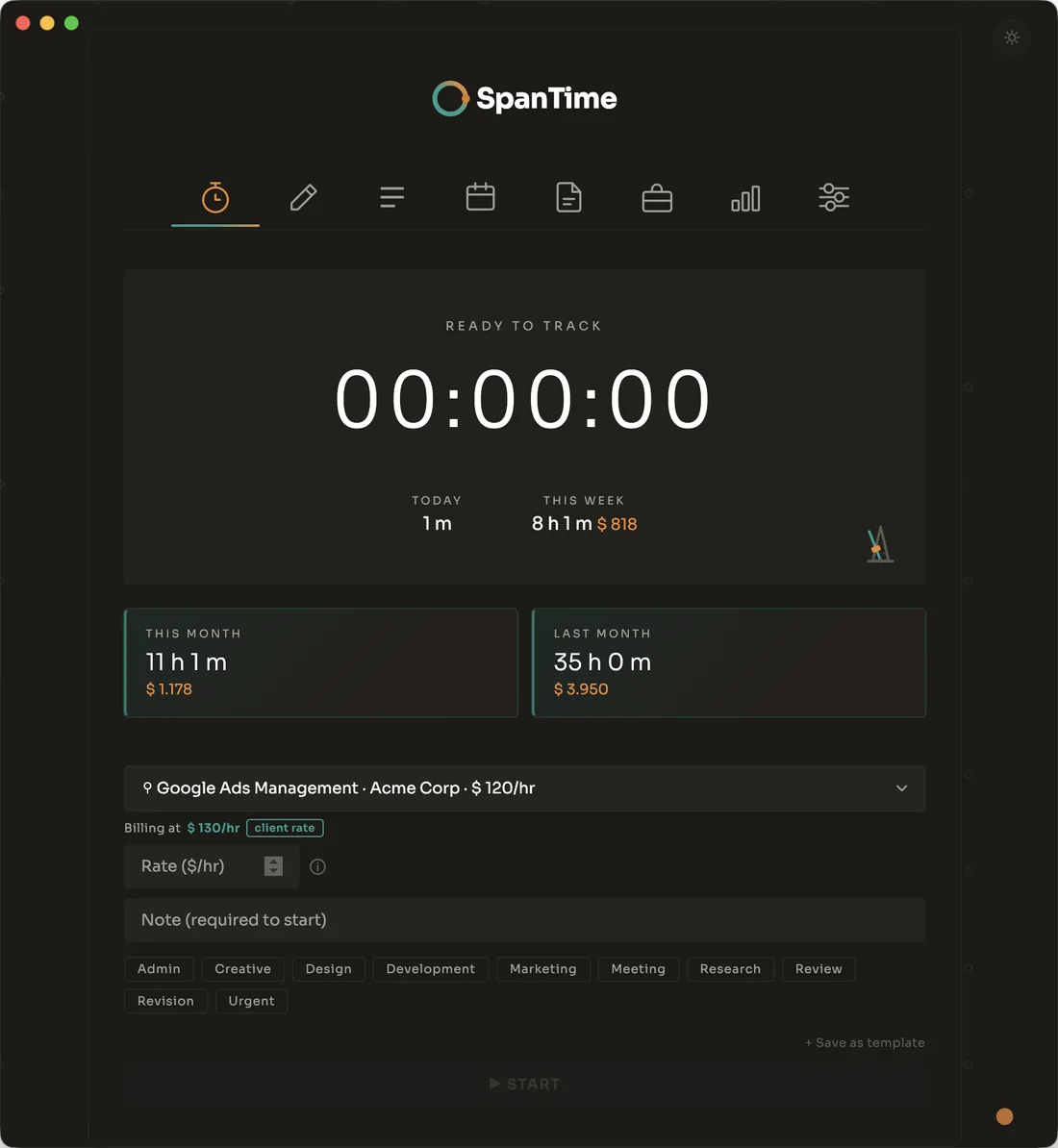
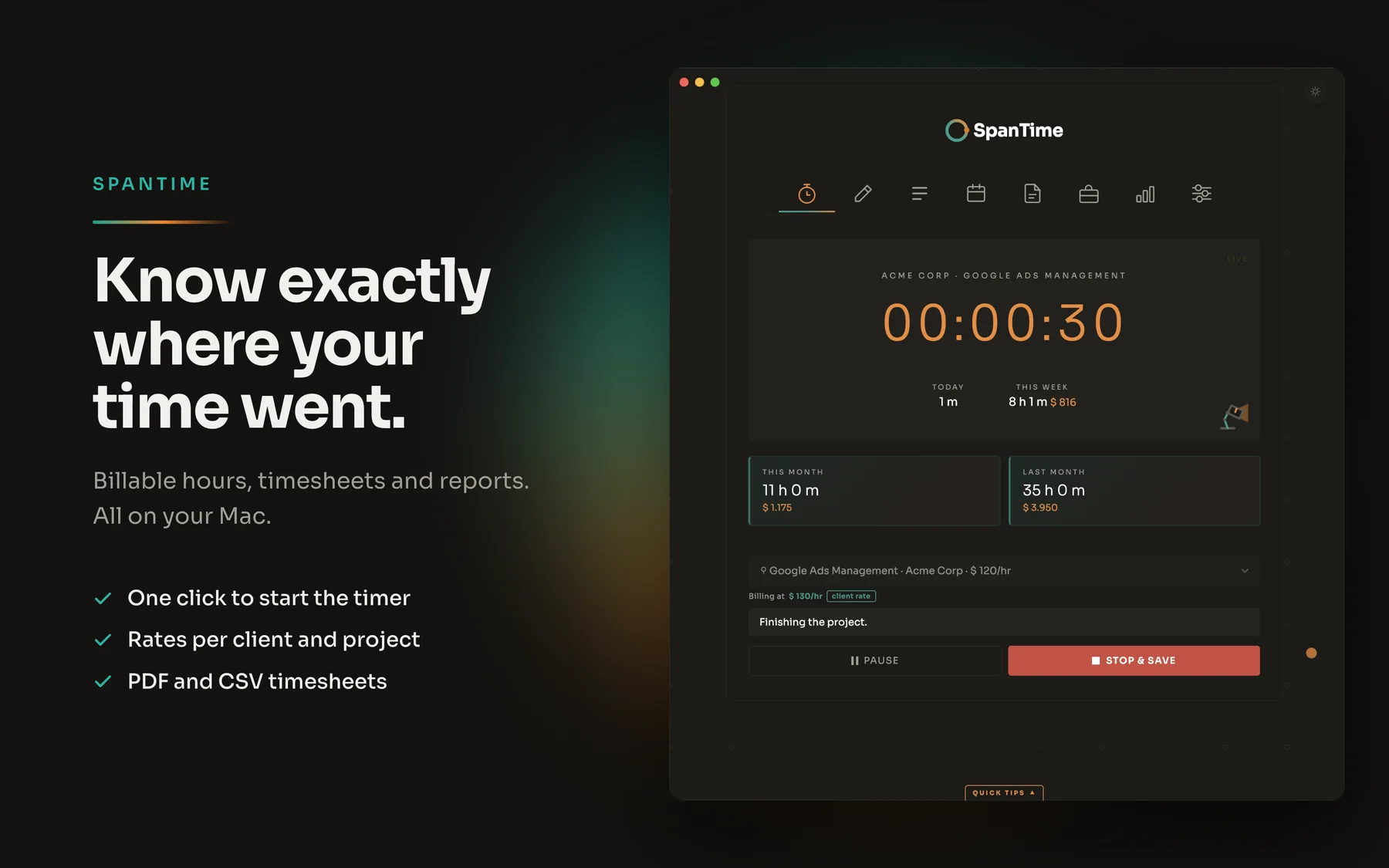
A time tracker that starts in one click
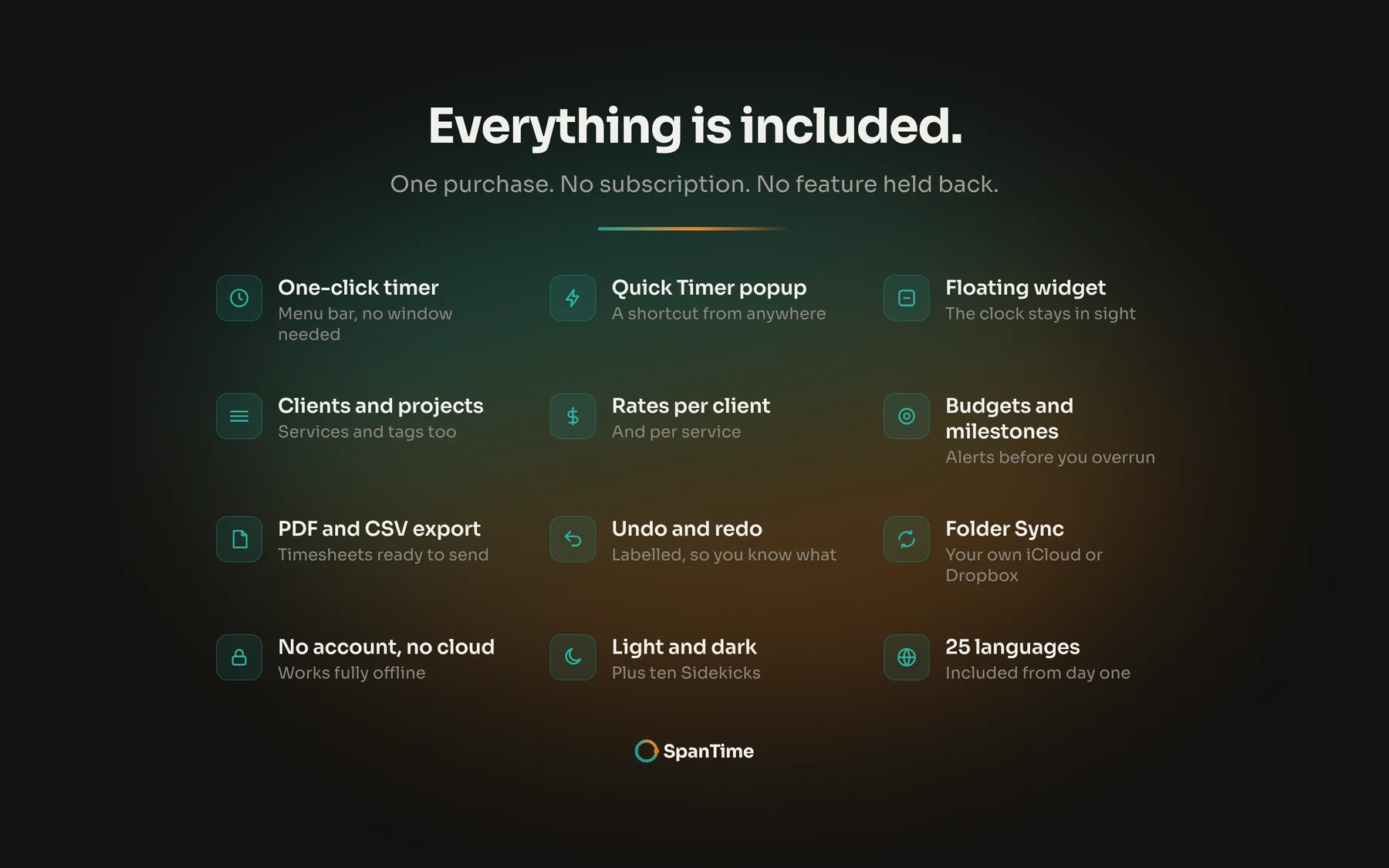
From the menu bar or tray
Start, pause and stop without opening the app. Pick a recent project straight from the menu bar or tray.
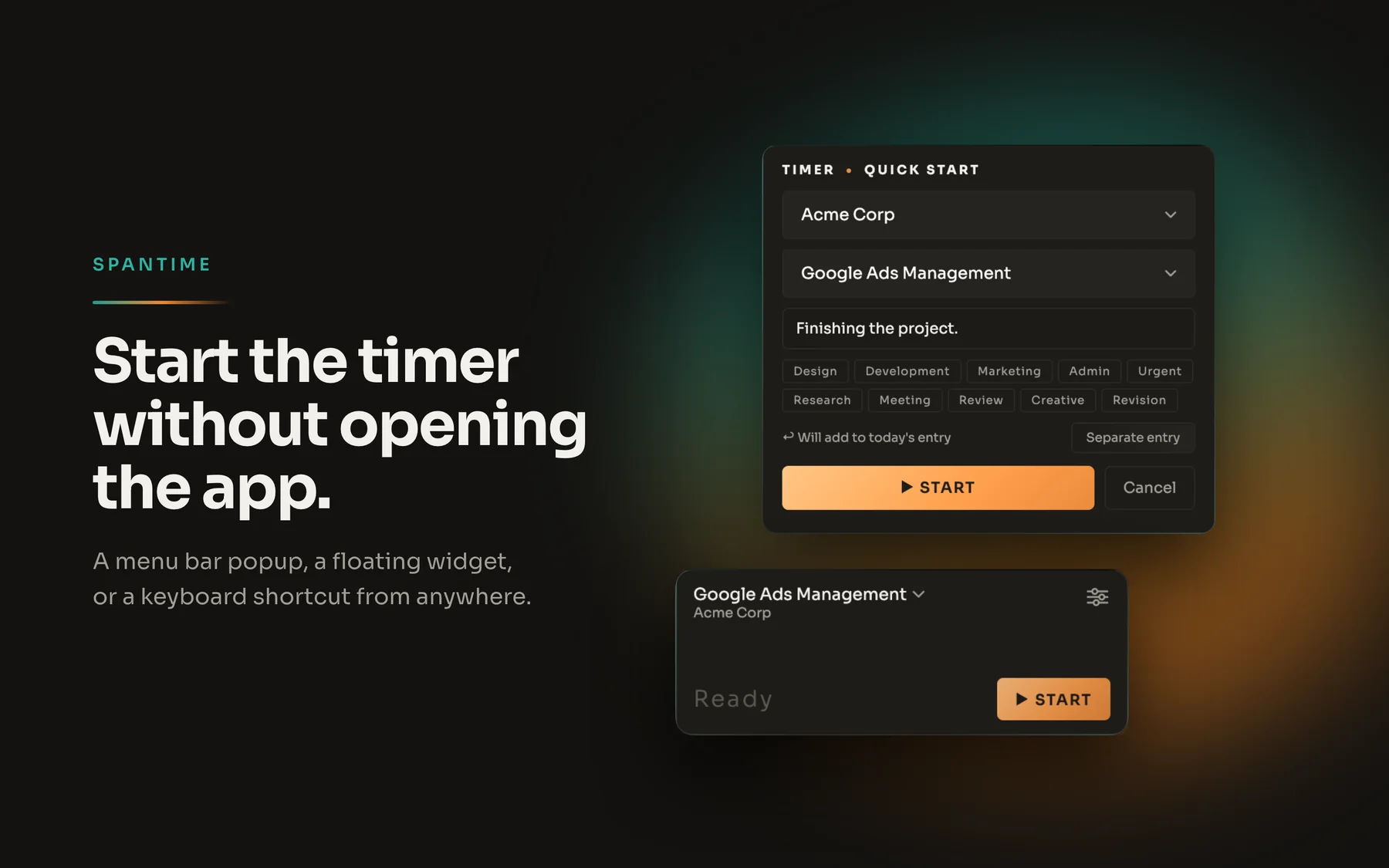
Quick Timer popup
A keyboard shortcut brings up a small window from anywhere. Type, start, carry on.
Floating widget
Keeps the running timer on screen while you work in something else.
Idle detection
Auto-stop catches the nights you forget. No more nine-hour lunch breaks in your timesheet.
Organised by default
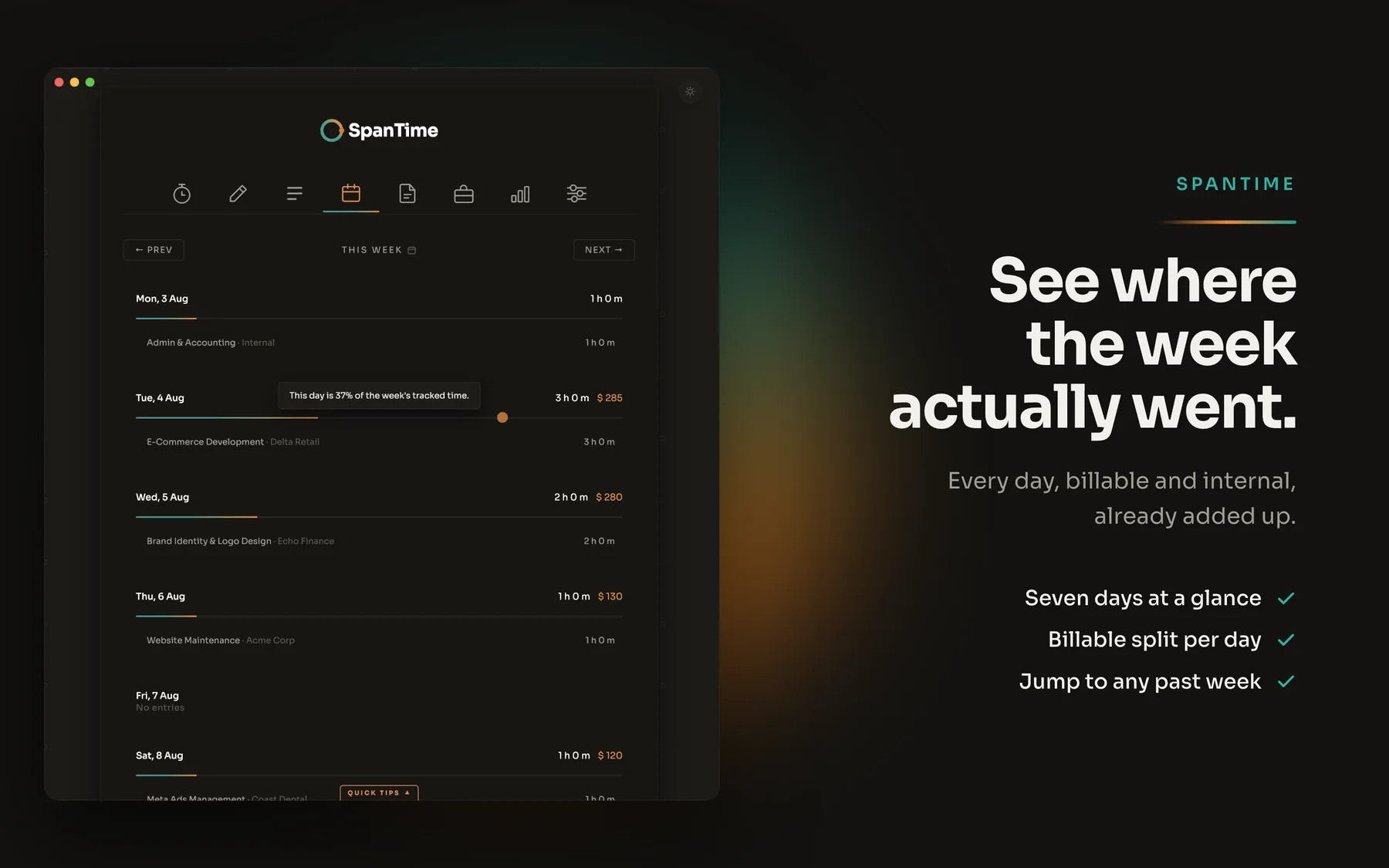
Clients, projects, tasks, services and tags, so every tracked hour lands on the right timesheet.
Manual entry
For the hours you wrote on paper, or the timer you forgot to start. They go straight into the same work log.
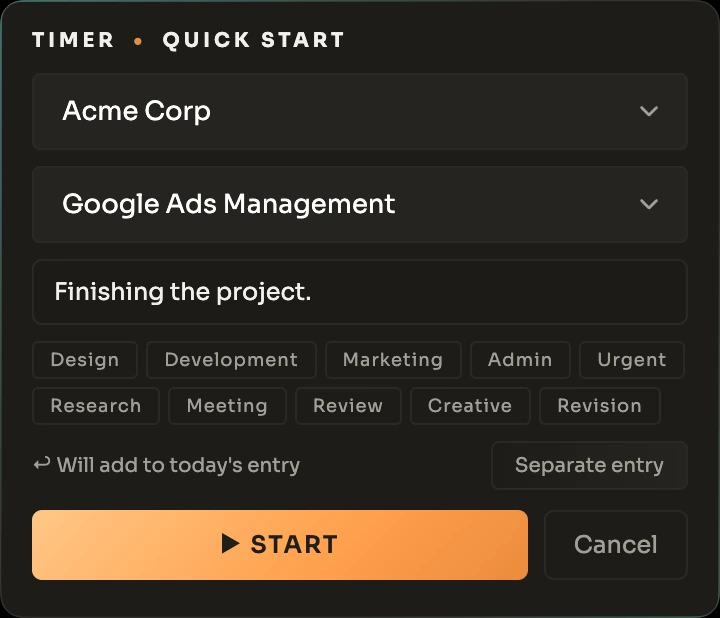

The Quick Timer popup and the floating widget. Neither one needs the main window open, and both save straight into the same day's entry.
10:30Billing
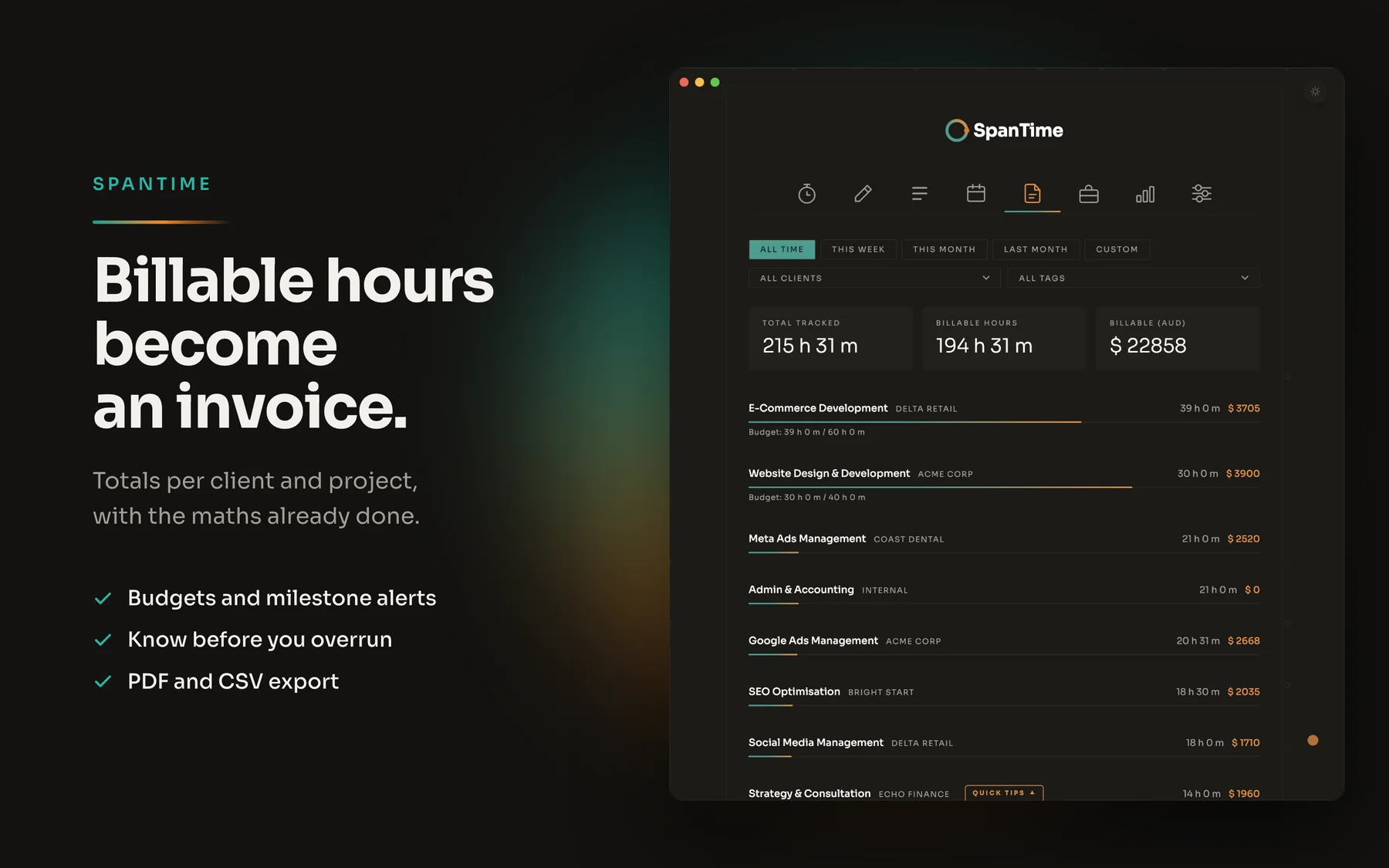
Billable hours become an invoice
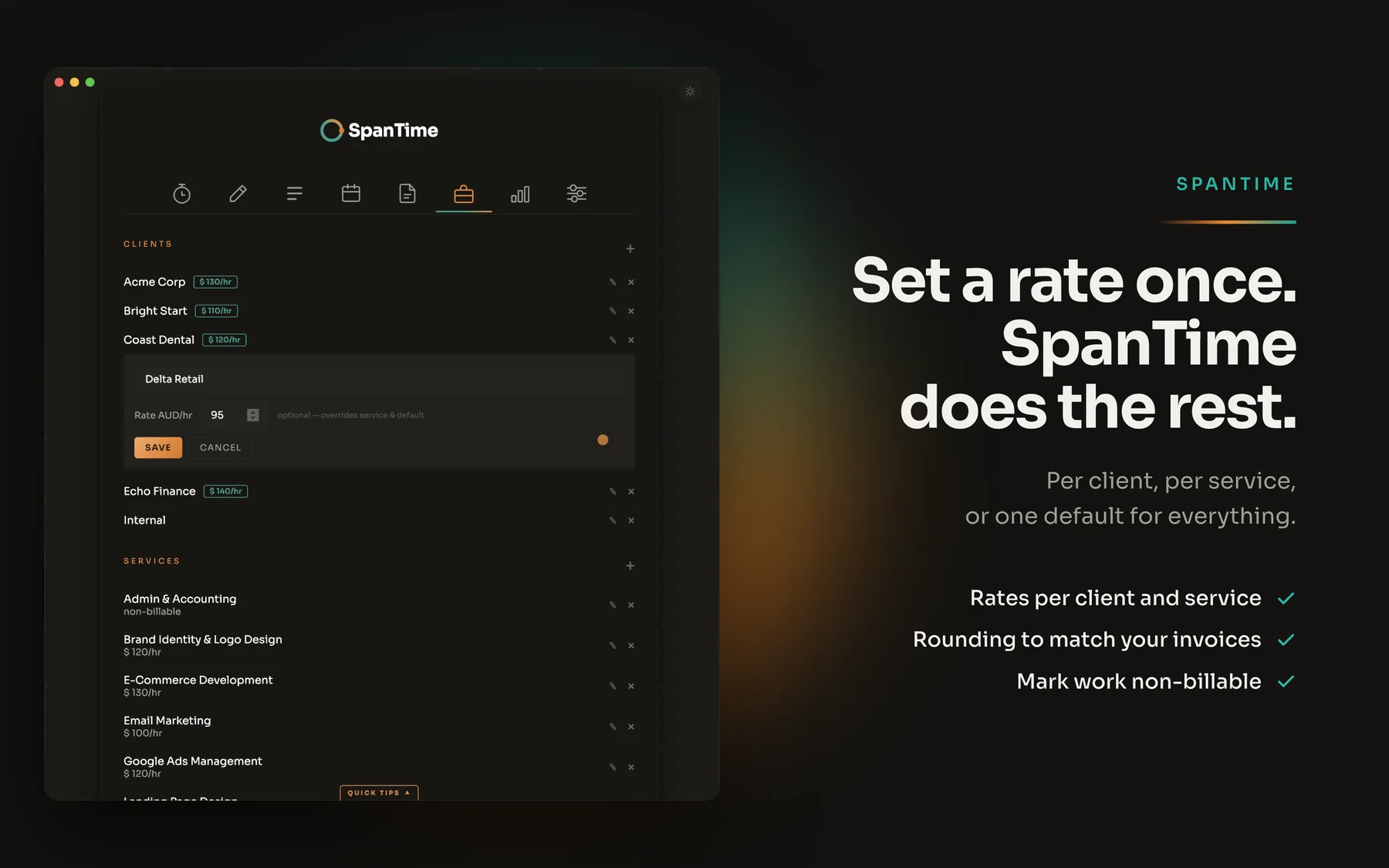
Time tracking only pays off when the hours turn into money. Set an hourly rate per client and SpanTime handles the client billing arithmetic, so you don't reconstruct it at month end.
- Rates per client and per service. Tracked time becomes an amount owed, automatically.
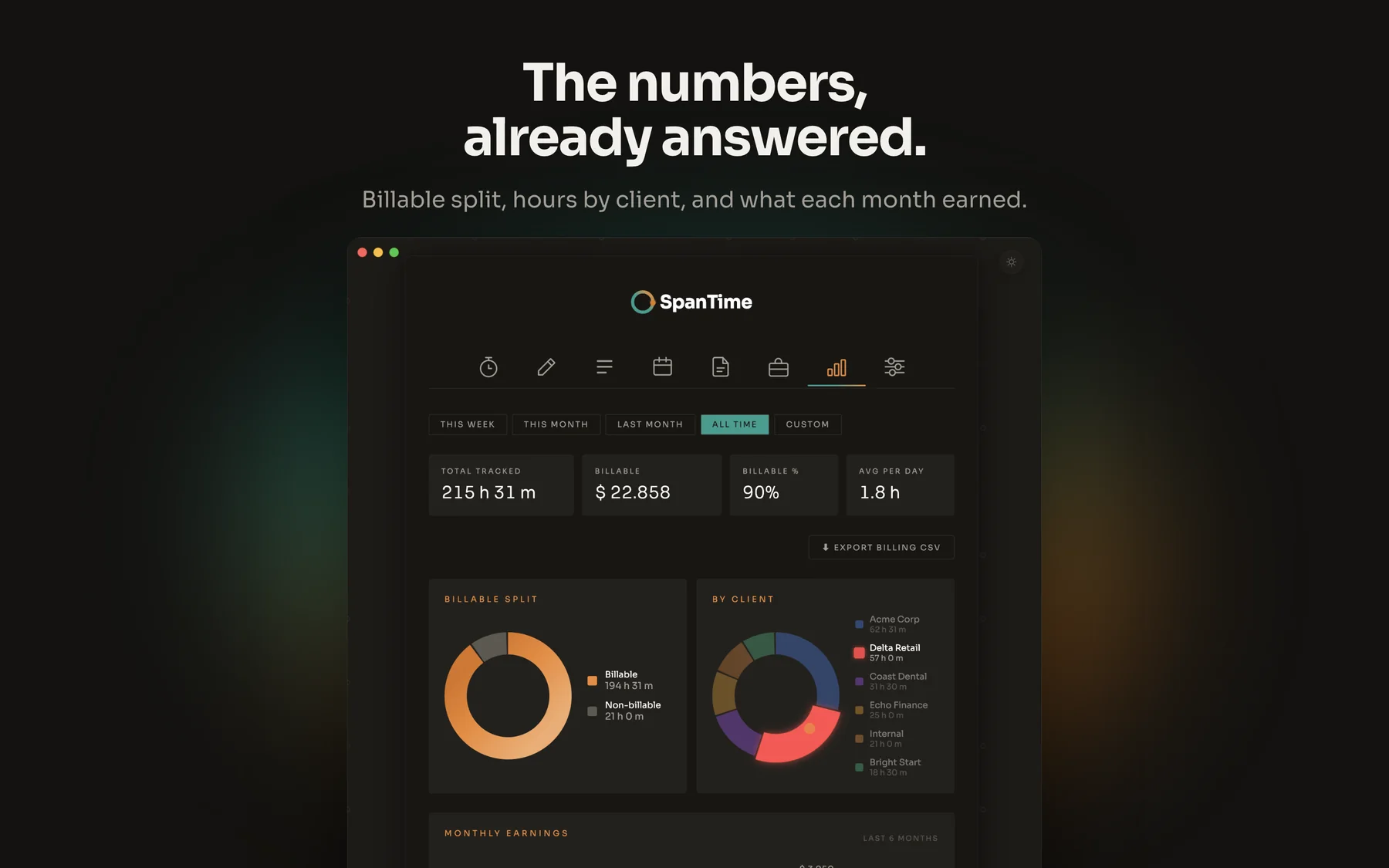
- Billable or not. Mark the difference and keep the two apart in every report.
- Rounding that matches your invoices. Five, ten, fifteen or thirty minutes, or none at all.
- Budgets and milestones. Know you're heading past a project budget before you get there.
- PDF and CSV export. A timesheet ready to send with your invoice, or raw data for your accountant.
- Milestones worth celebrating. A small celebration when you pass 100, 500 or 1,000 tracked hours, or your first 1,000 billed.
Try it here: pick a project and press Start.
SpanTime
Ready to track
00:00:00
Earned so far $0.00
Today's logRounded to 15 min
- Stopped entries appear here.
Billable0 h 0 m $0.00
Milestone reached
$100
$100 billed in total.
Keep it up!
Demo milestone. In the app they start at 100 hours and 1,000 billed.
This is only a demo. It runs 60 times faster than real time, works entirely in your browser and saves nothing. Reload the page and it's gone.
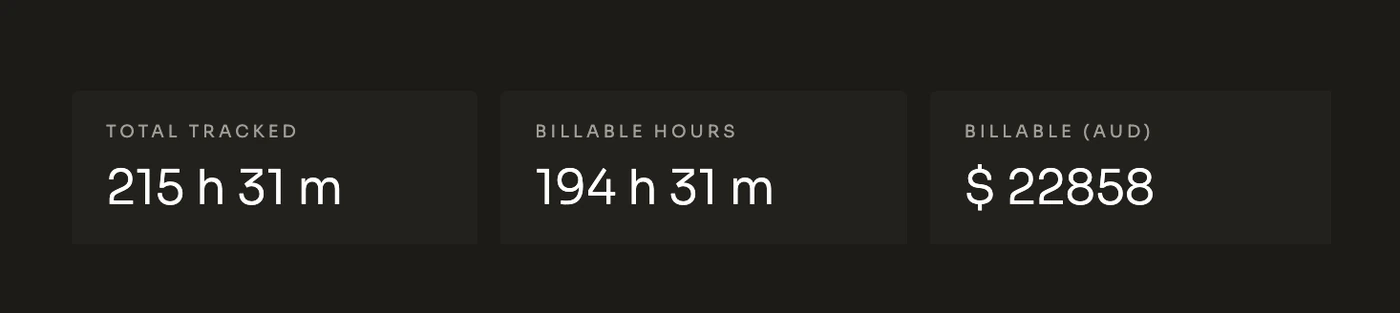

Hours, the amount they are worth, and how much of the budget is already gone — a summary report, all in front of you without opening a spreadsheet.
12:00Nothing gets lost
Losing a week of tracked time is worse than never tracking it
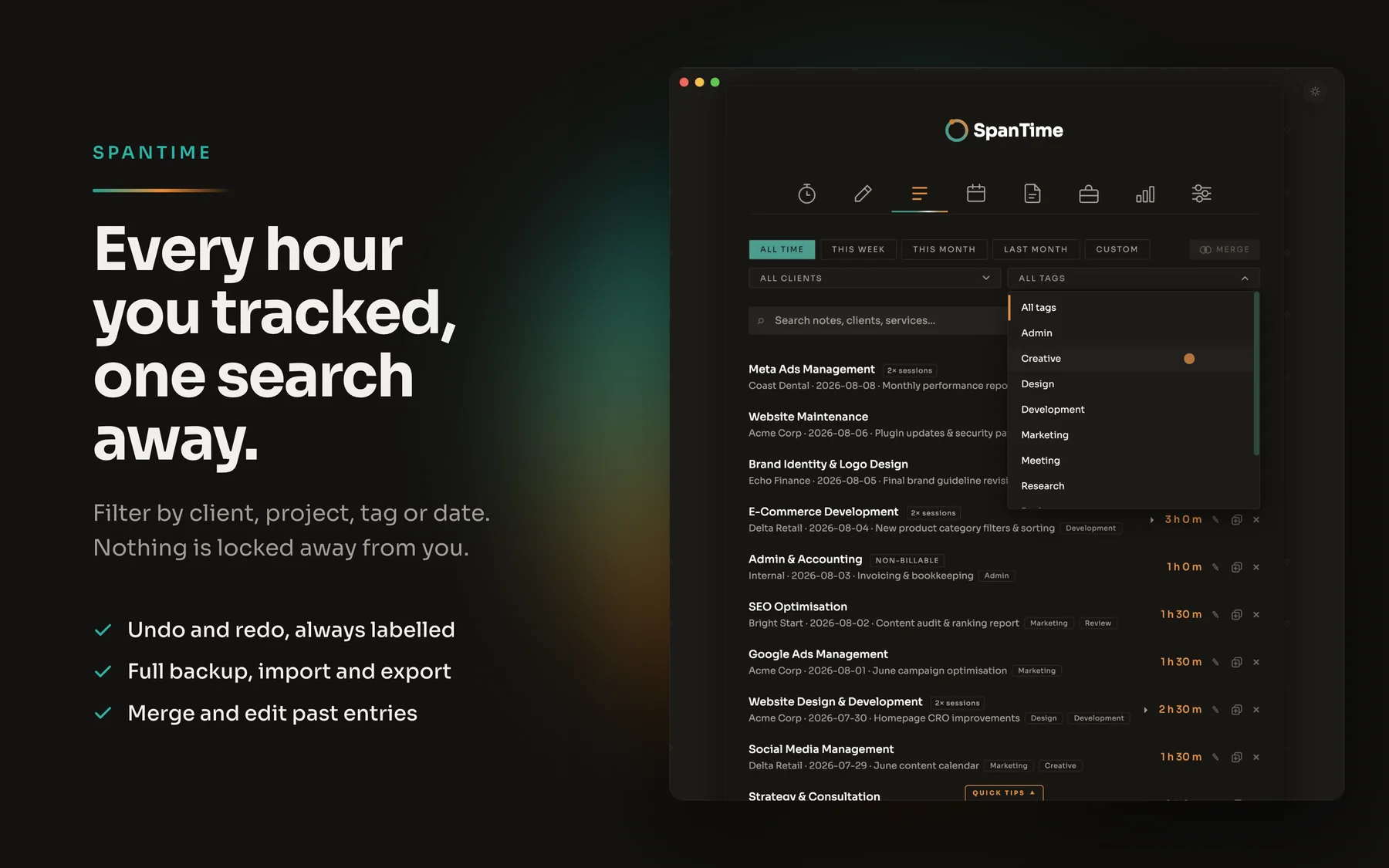
Undo and redo, labelled
Every action names itself, so you always know what you are reversing. A delete, a merge, an edit, or a whole import.
Full backup, one file
Export every entry, client, project and setting. Import it back after a reinstall or onto a second computer.
A file you can open
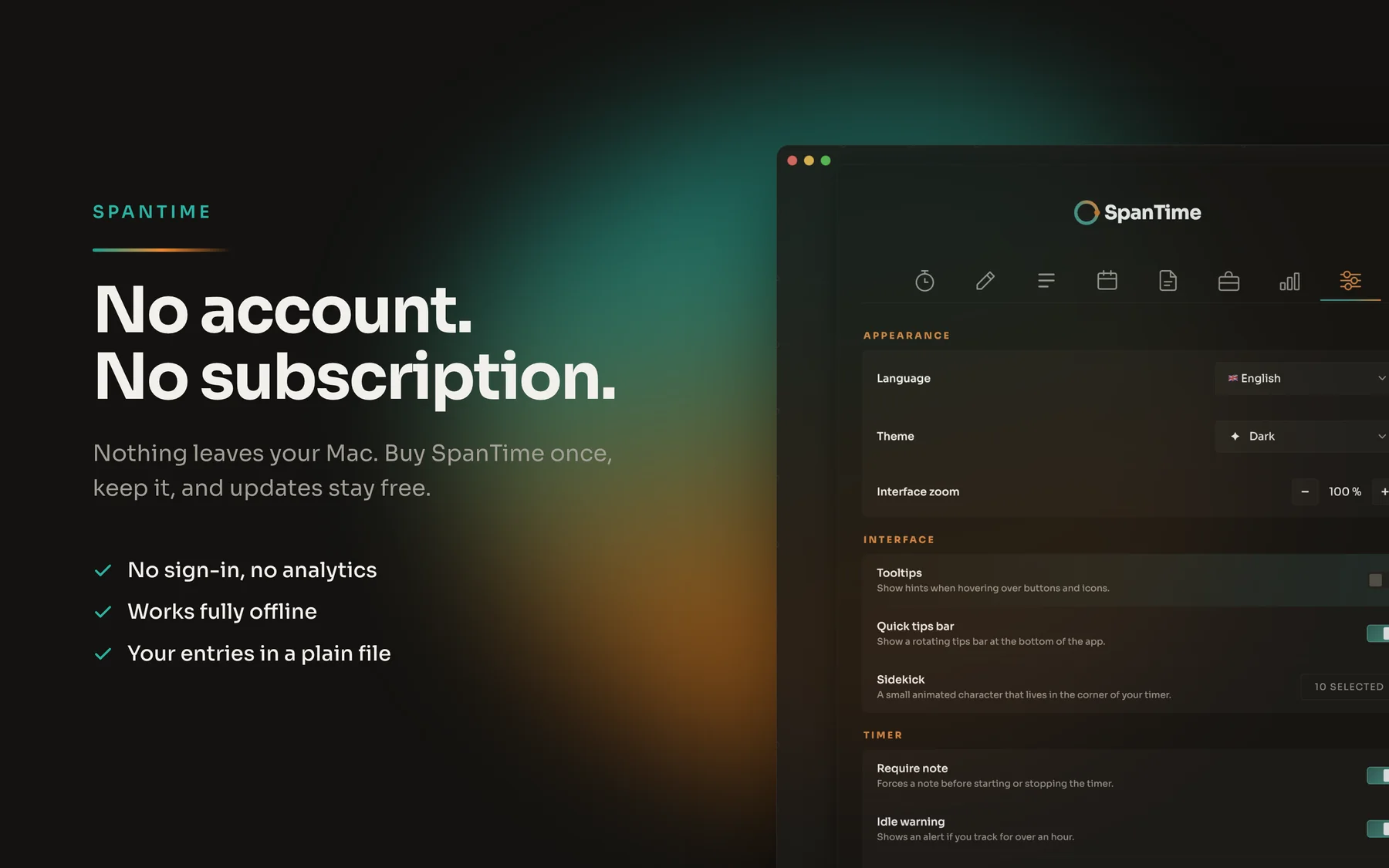
Your time log is stored locally, plain and readable, not locked in a database only this app understands.
13:30Make it yours
A time tracker that works the way you do
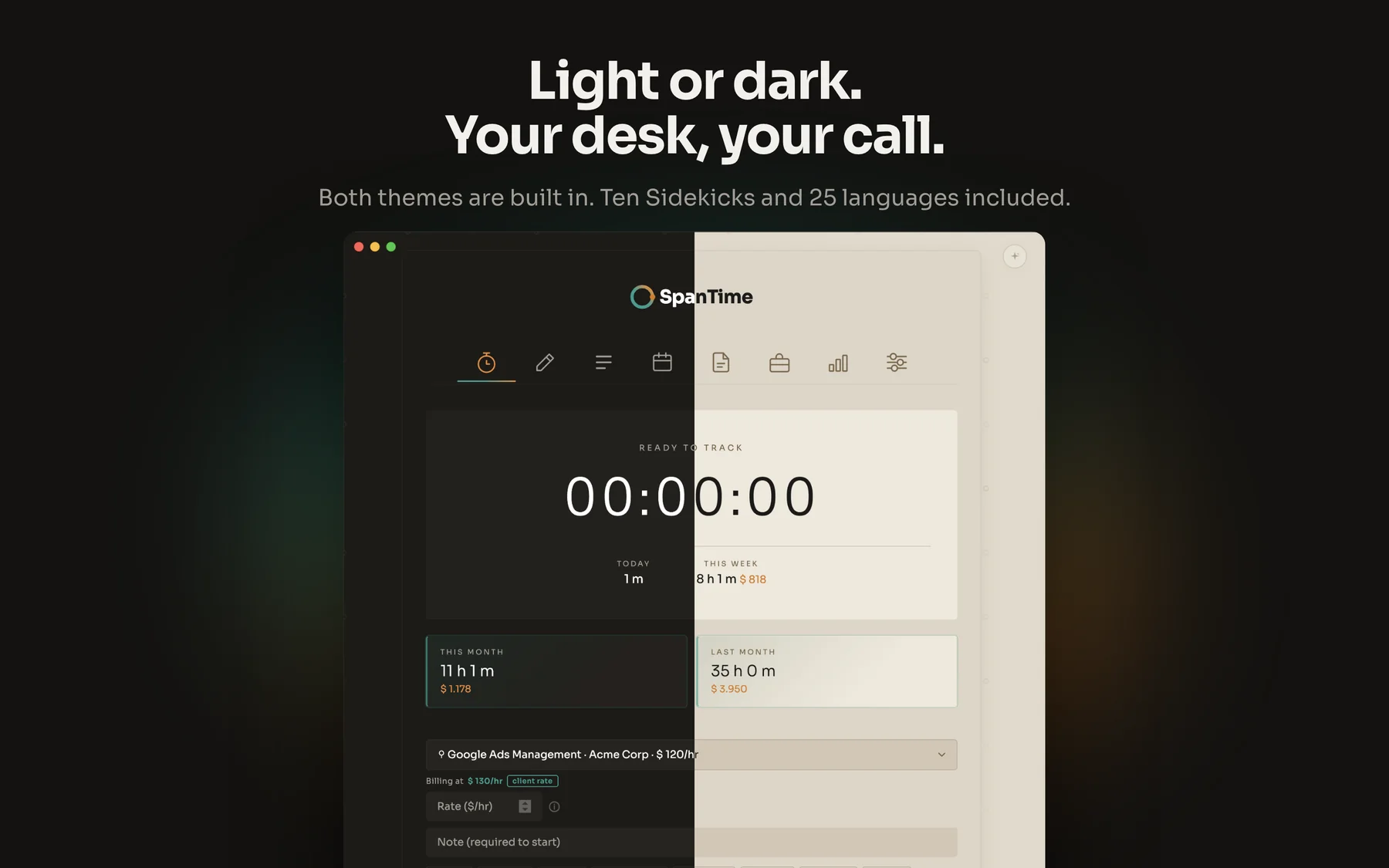
Light and dark
Both themes are built in. The app matches the rest of your desk instead of fighting it.
Twenty-five languages
Not machine-dumped. Included from day one, not promised for a later update.
Pick a Sidekick
Ten small animated companions keep the clock company while you work. Time tracking does not have to be joyless.
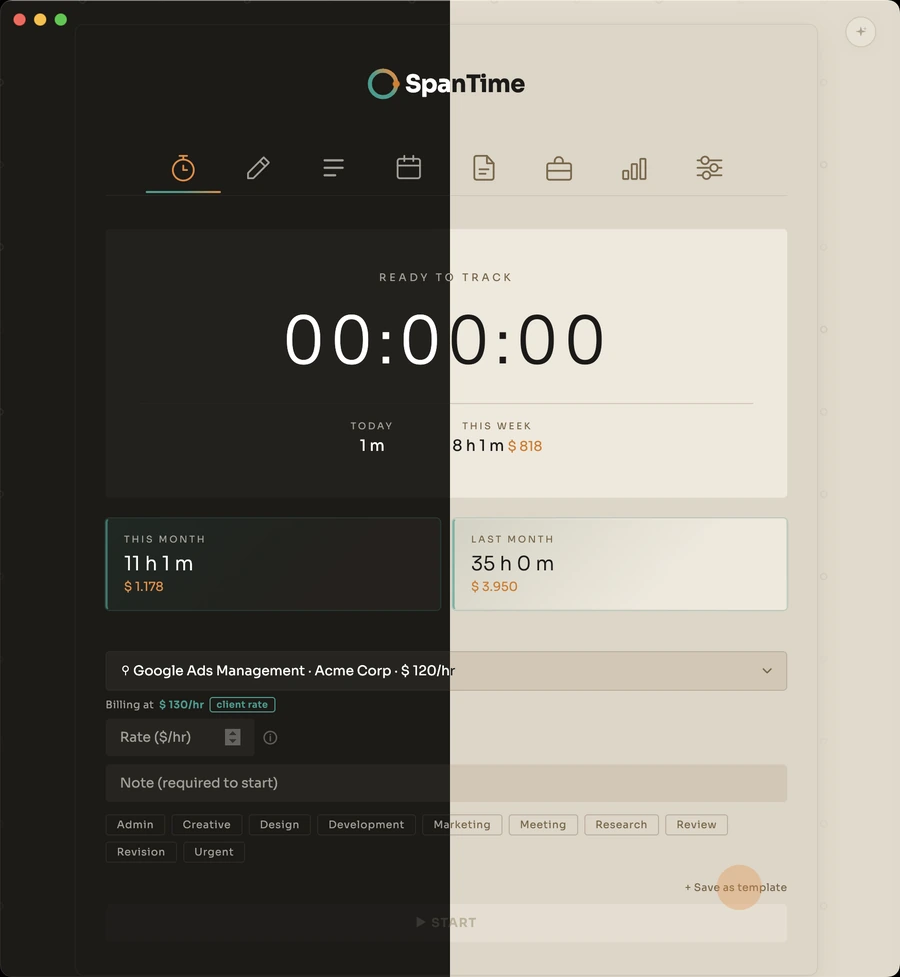


One window, cut down the middle. The same screen in both themes, and neither one is an afterthought.
Rounding, week start day, currency, reminders, idle thresholds, keyboard shortcuts, zoom level and what happens when you close the window. All yours to set.
15:00Who it is for
Built for people who bill by the hour
Freelancers
One person, many clients — fully self-employed. Track hours per client, see what the week is worth, and send a timesheet without rebuilding it from memory.
Consultants and contractors
Rates that differ per engagement, budgets that must not be overrun, and invoices that need to survive scrutiny. Every hour stays tied to the right client and rate.
Small studios and agencies
Several projects running at once, the way most small businesses actually work. Keep billable and internal time apart, and know where the month actually went.
And anyone who simply wants a time tracker for themselves. Billing is optional. Mark work non-billable and SpanTime keeps the hours without ever asking about money.
15:45In numbers
Why time tracking pays off
16:30Privacy
Your data never leaves your computer
- No account, no sign-in, no analytics, no servers of ours.
- The Mac App Store and Microsoft Store builds make no network requests at all.
- Optional Folder Sync writes to a folder you choose, so entries travel through your own iCloud or Dropbox, never ours.
- Works fully offline. It has never needed a connection to track an hour.
Everything stays local and private, with nothing sent to any cloud of ours. We collect nothing, which means there is nothing for anyone to lose, sell or hand over. Read the full privacy policy.
17:15The math
What a subscription time tracker costs you over the years
After that, SpanTime costs $0 a month. No renewals, no price rises, no account to keep paying for.
Years
17:30Get SpanTime
Buy it once — or make it yours
ReceiptSpanTime
Buy it once, keep it
SpanTime for Mac or Windows1×
One-time priceUS$34.99
Monthly fee$0.00
Account requiredNo
UpdatesFree, forever
Free trial on Windows15 days
PaidOnce
Included
25 languagesincl.
Light and dark themeincl.
PDF and CSV exportincl.
Prices vary by country. The App Store and Microsoft Store show yours in your local currency, including tax.
SPANTIME · NO RENEWAL DATE
Thank you for not subscribing.
Make it your own
SpanTime can be rebranded into a time tracker of your own: your logo, your colors, your app name on every screen. We've already built one this way for a client.
Same reliable app underneath, styled to look like it was built for your business alone. Get in touch and we'll talk about what that looks like for your small business or agency.
SpanTime
00:42:10
Earned so far $84.33
Stop
Your colours your logo, your app name
- 1Send your brandLogo, colours, name
- 2We build and testMac and Windows
- 3Your team installsYour own installer
18:00Questions
Questions, answered
Yes, on the Microsoft Store you can try the SpanTime time tracker free for 15 days. The Mac App Store doesn't offer trials for paid apps. On a Mac it's a one-time purchase with no subscription, so you buy it once and keep it forever.
Yes. The Mac App Store lets you install it on every Mac signed in with your Apple ID. The Microsoft Store does the same for your Microsoft account. Mac and Windows are separate purchases, because they come from different stores. To keep your timesheets the same on both, turn on Live Sync.
There is no SpanTime server, so syncing runs through a folder you already use. On each computer, pick the same folder in Settings, for example in iCloud Drive, Dropbox, OneDrive or Google Drive. Turn on Live Sync, and new time entries, clients and projects from one computer are merged into the other automatically. Before every incoming sync, SpanTime saves a backup in that folder. Every sync notification also has an Undo button, so nothing gets lost.
Your time log, clients and projects live in a file on your computer, not in a cloud account. Before you uninstall, export a full backup with one click. Import it again later, on the same computer or a new one.
Yes, completely. SpanTime never needs an internet connection to track hours, create reports or export a timesheet. The store versions make no network requests at all.
SpanTime is built for freelancers, consultants and contractors who bill their own clients. Each team member uses their own copy and keeps their own hours. Want one time tracker for your whole studio or agency, with your own brand on it? Ask us about a custom version.
Yes. Filter your billable hours by client, project or date range and export a PDF timesheet to send with your invoice. For your accountant or a spreadsheet, export a CSV report. A full JSON backup of all your data is one click away too.
No. SpanTime is a manual time tracker: it only records the hours you start yourself. It takes no screenshots and does not log your apps or websites. Idle detection only checks whether your computer is idle, never what you do.
Yes. When your tracked time passes 100, 500, 1,000 or 5,000 hours, a short celebration pops up. The same happens when your billed total passes 1,000, 10,000, 50,000 and 100,000 in your currency. Each milestone shows once and closes with one click.
You scanned a receipt. Most time trackers would have charged you for that.